Baby log for iPhone and Apple Watch
Log it calmly. Even at 3 a.m.
Record sleep, feeds and diapers with one tap, see the day at a glance, and keep the log together with your partner.

Logging
One tap. Even one-handed.
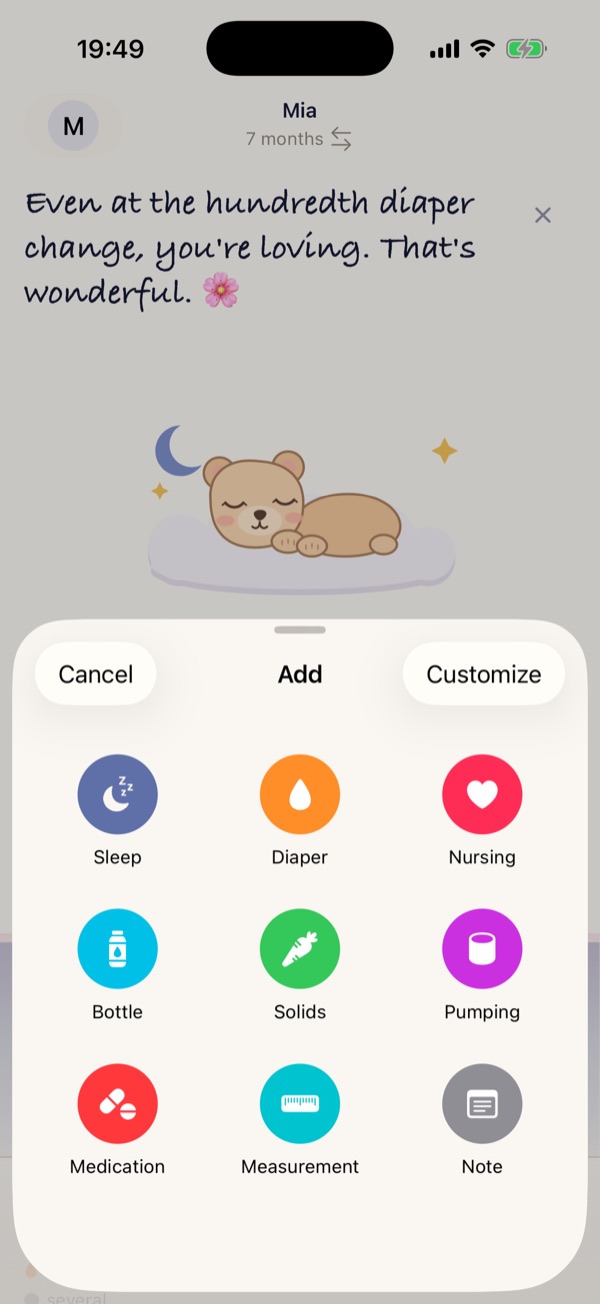
Start a sleep or add it later, record a feed or a diaper. Press and hold the plus button for shortcuts.
Sleep
With a timer or afterwards, with details like place, sleep aid, pacifier and how your child slept, if you like.
Feeds
Nursing by side and duration, bottles in ml or fl oz, solids and pumping.
Diapers
Wet, stool or both, with color and consistency if you want.
Plus medication, measurements, notes, appointments and markers such as teething, vaccination or travel.
Today
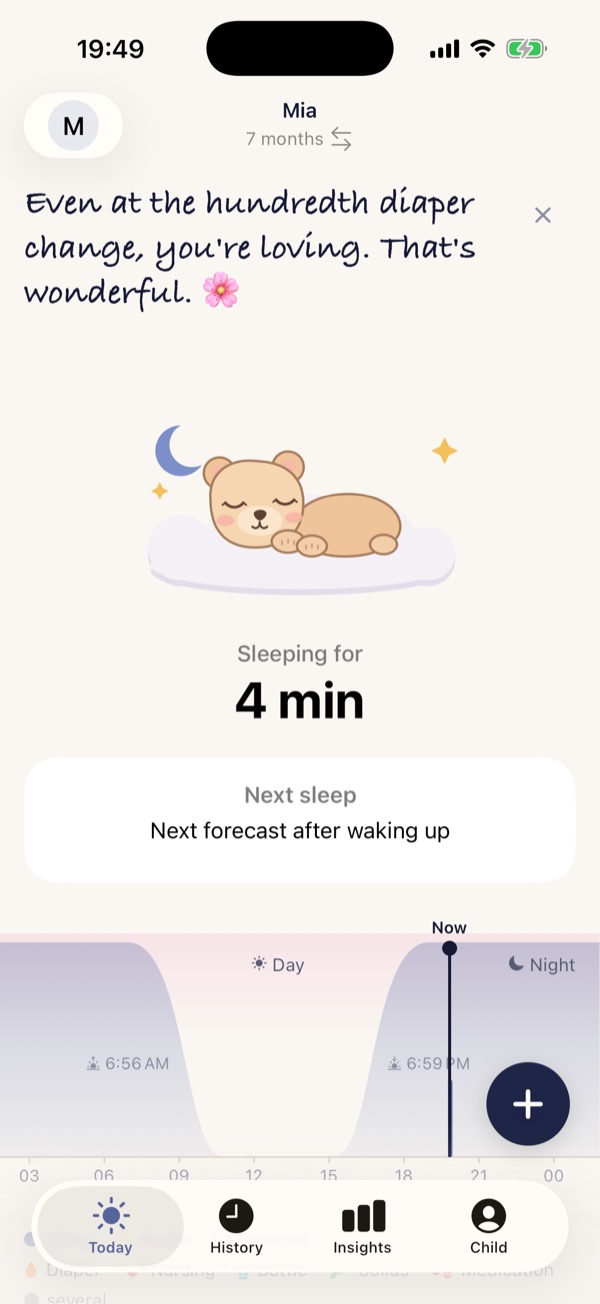
Your day at a glance.
The day axis shows sleep, feeds and diapers together. Nights sit where it is dark outside: from sunset to sunrise if you allow your approximate location, otherwise from 7 p.m. to 7 a.m.
- Sleep
- Awake
- Forecast
- Nursing
- Bottle
- Solids
- Diaper
- Sleep, 24 h
- 12 h 30 min
- Naps, 24 h
- 2
- longest awake
- 2 h 35 min
Below the axis you get numbers, not verdicts.
Forecast
How the forecast works.
- At first: age.While there are only a few entries, Cuddleya goes by what is typical for your child’s age.
- Then: your child.With every sleep you log, it follows your own rhythm more closely. The app shows you how many sleeps it is based on.
- Always: a window, not a fixed time.You see a likely time and a range around it. If the rhythm gets less settled, the app says so. If there will be no more naps today, one tap is enough.
Guidance, not a plan. Every day is different. The forecast begins at about eight weeks, is made for babies and toddlers up to about two years, and does not replace medical advice.
Next nap
Falling asleep likely around 4:35 PM
usually between 4:20 PM and 4:50 PM
With more entries the range often gets narrower. It can also widen again.
Guidance from Mia’s logged sleeps
iPhone and Apple Watch
On your wrist when your hands are full.
- On Apple Watch, start and stop sleep and nursing, switch sides or log a diaper.
- A running timer shows on the Lock Screen and in the Dynamic Island, with a Stop button.
- If you like, a notification reminds you about 30 minutes before the next likely sleep, not between 8 p.m. and 7 a.m.

Mia will likely be ready to sleep in about 30 minutes. Watch for the first signs of tiredness, like a yawn, eye rubbing or a faraway look …
Today
Logging
Choose a figure
Together
Keep the log together.
Share your child with your partner. You both see the same log on your own devices, on Apple Watch too. Entries made by the other person show their name; you can turn this off.
Invite through Apple’s iCloud sharing. Someone standing next to you can also open the invitation with a QR code. Sharing needs iCloud. Without iCloud it works too: on this iPhone only, without sharing.
Figures
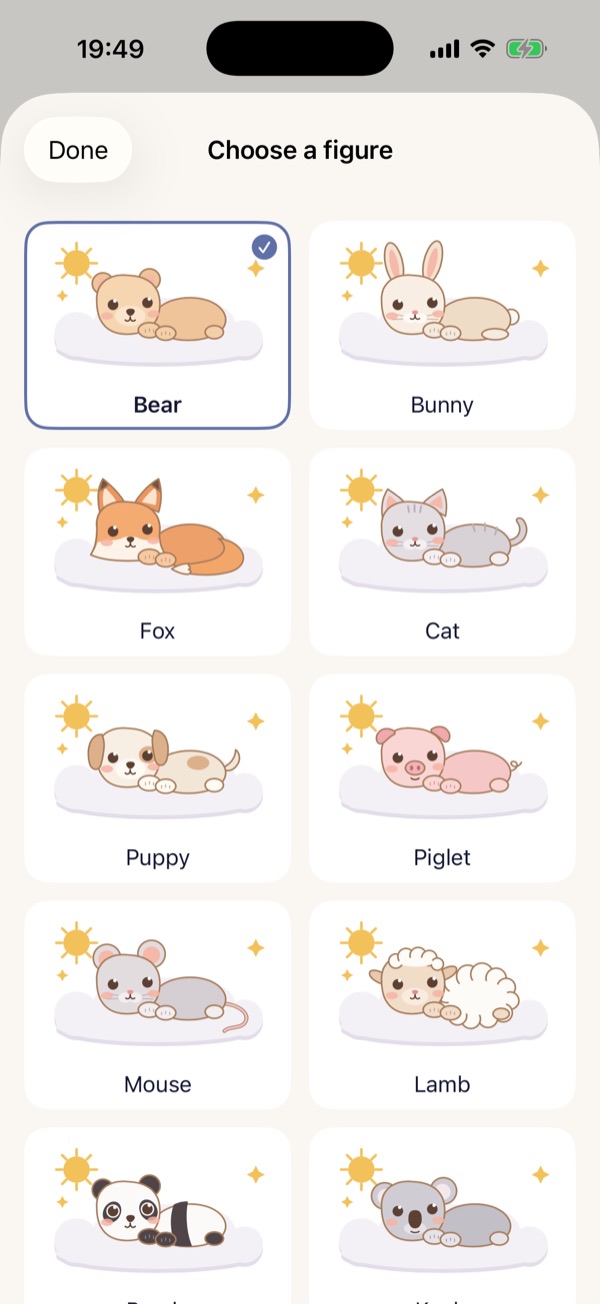
A figure for every child.
Fifteen sleepy figures, drawn for Cuddleya. They sleep when your child sleeps.
Tap a figure: it falls asleep or wakes up. Pressed means: asleep.
PDF report
A report as a PDF, for example for the next doctor’s appointment, with every single entry if you like.
Growth
Record weight, length and head circumference and see them as percentiles.
Backups
Daily on your iPhone, optionally also in iCloud Drive. With a password, copies that leave your iPhone are encrypted.
History
Every entry, filterable by kind, with note search and a trash for mistakes.
Daily quote
A short saying on the Today screen each day. If you’d rather not, hide it for the day or turn it off in Settings.
First steps
A short tour on first launch that you can open again at any time.
Milestone card
At one, two and three weeks and then every month until the first birthday, a card with a photo, size and a few lines about your child, to share or print.
Privacy
Your data is yours.
Your entries live on your iPhone and, if you use iCloud, in your own iCloud or, for a shared child, in the iCloud of the person who shared it. We can’t access them.
- No accountNo sign-up, no email address.
- No server of oursThere is no Cuddleya server collecting entries.
- No ads, no analyticsNo tracking in the app or on this website.
- iCloud is optionalYou can turn sync off at any time.
Good night.
Cuddleya is a log, not a medical device. Hints such as the likely next bedtime are guidance drawn from your own entries and do not replace medical advice.